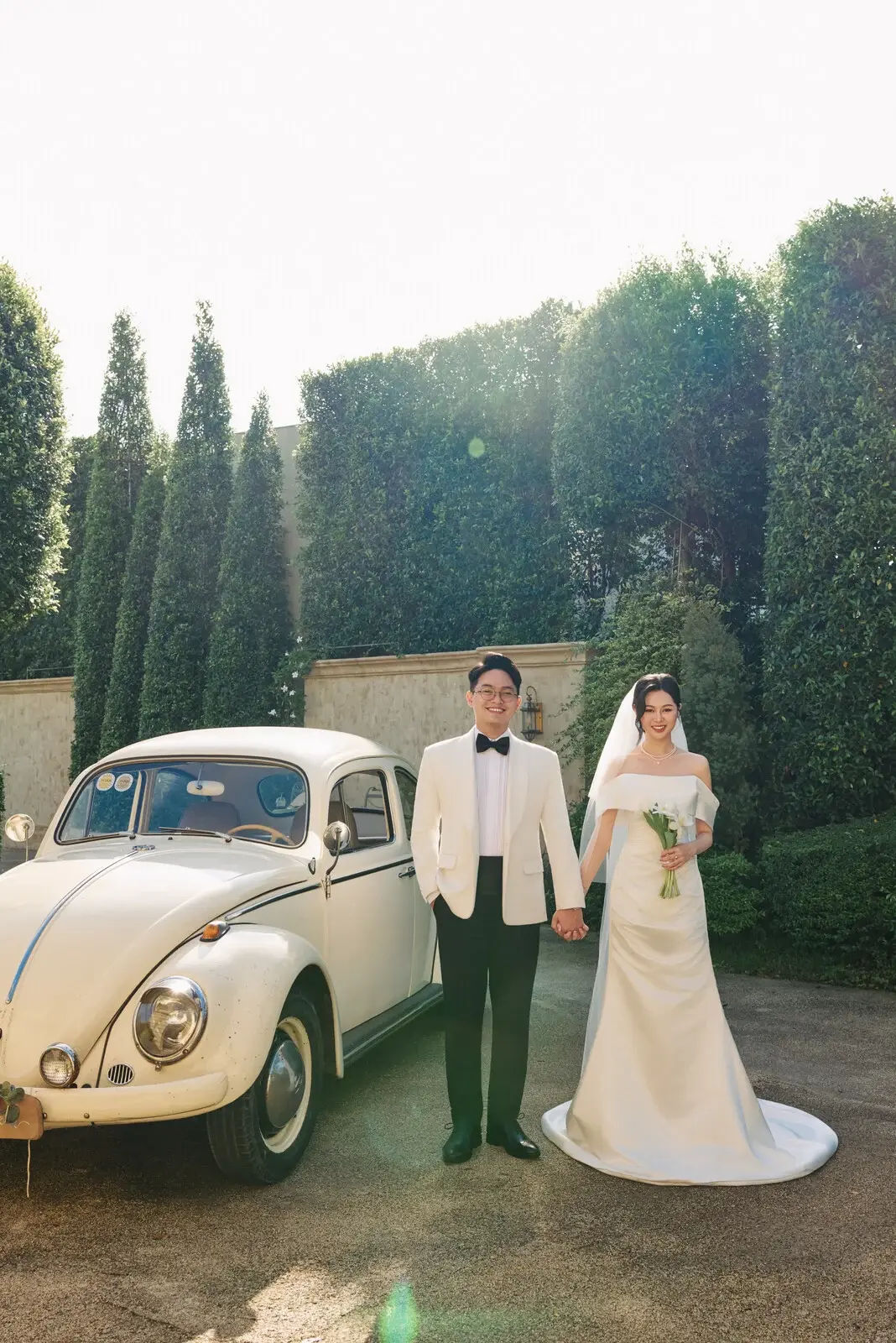
Classic
A wax-seal invitation with a hero, the couple, events, a gallery, and a guest form.
wedi.app
Pick a template on wedi, choose a /s/your-page address, then edit photos, the schedule, and the guest form. Guests open the link and see your invitation.
“One address for the invitation, the replies, and the gift page.”
Classic
A wax-seal invitation with a hero, the couple, events, a gallery, and a guest form.
Templates you can use now
Preview one, then create a site if you want to use it.


Open a guide when a section is unclear. The steps match the form in the editor.
Guides
Each guide follows the editor
Features
Edit each section on the page and see the change immediately.
The invitation is laid out for a phone. Guests do not pinch and zoom a desktop page.
Each event can carry a map link so guests open directions in one tap.
Arrange wedding photos in the template, and change the cover and album from the editor.
Guests leave a wish on the page. You edit the heading from the editor.
Show the gift accounts on the website so guests do not have to ask.
Guests confirm on the page. The list belongs only to your site.
Choose a card style, the line under the code, then download a PNG to print.
Attach your song. Guests can turn it on or off when they open the invitation.
How it works
01
Preview a real invitation, then keep the one that fits your day.
02
Set the couple's names, the page address, and an account. Each site is its own space.
03
Edit photos, events, music, guest replies, and the QR code, then share the link.
Guests
Share one link, then read who is coming from the same account that edits the invitation.
Guests
Guest replies on the site
Guests confirm on the page. The list belongs only to your site.
The invitation can be read in Vietnamese or English. Guests switch on the page. You keep one website.
Paste a wedding video on the invitation. Guests play it on the same page.
Guides
Short guides for the editor, guest replies, the QR code, gifts, the album, and music.
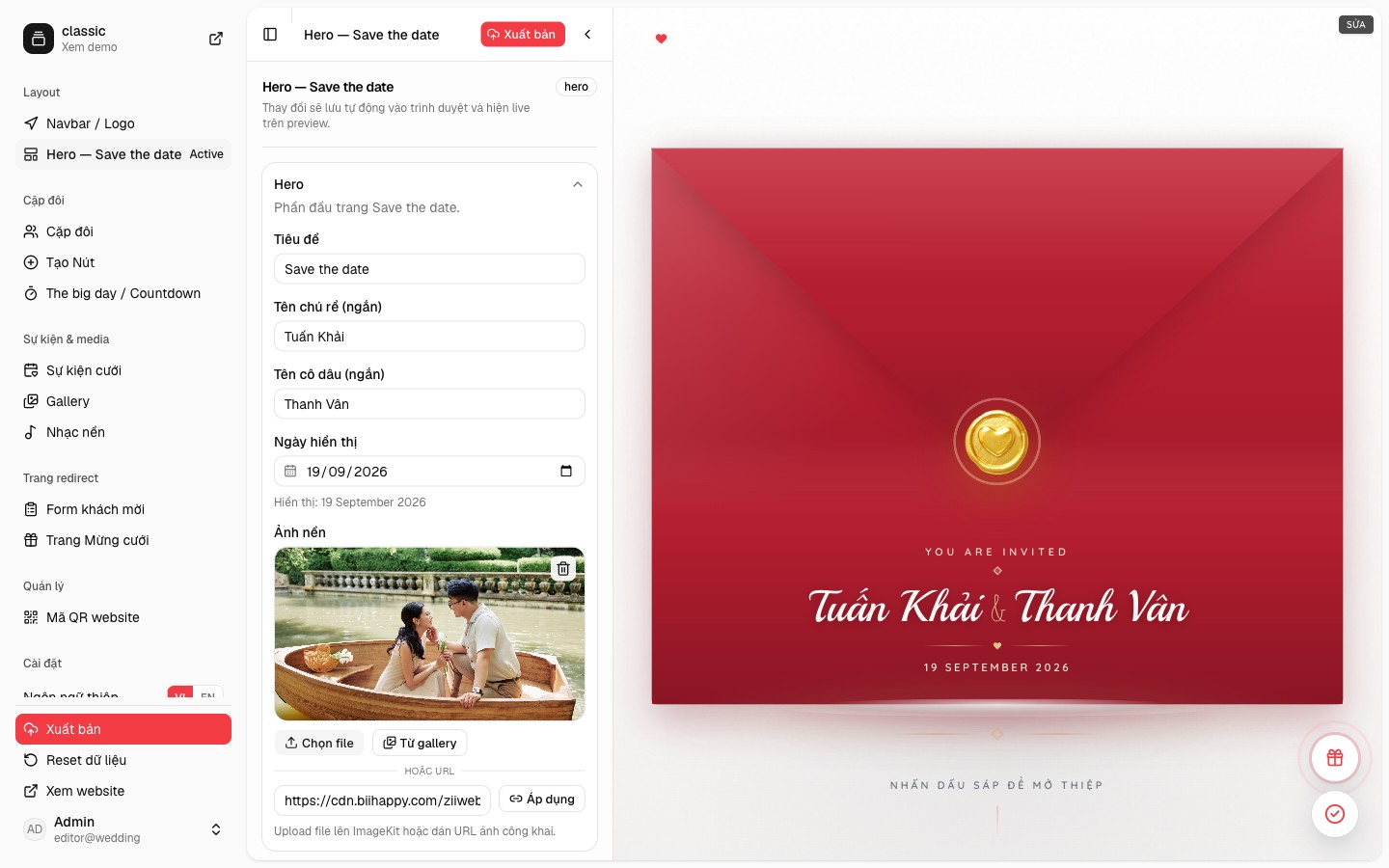
On the Classic template the editor is three panes. The sidebar picks a section, the form holds that section’s copy, and the preview on the right is the invitation guests will open.
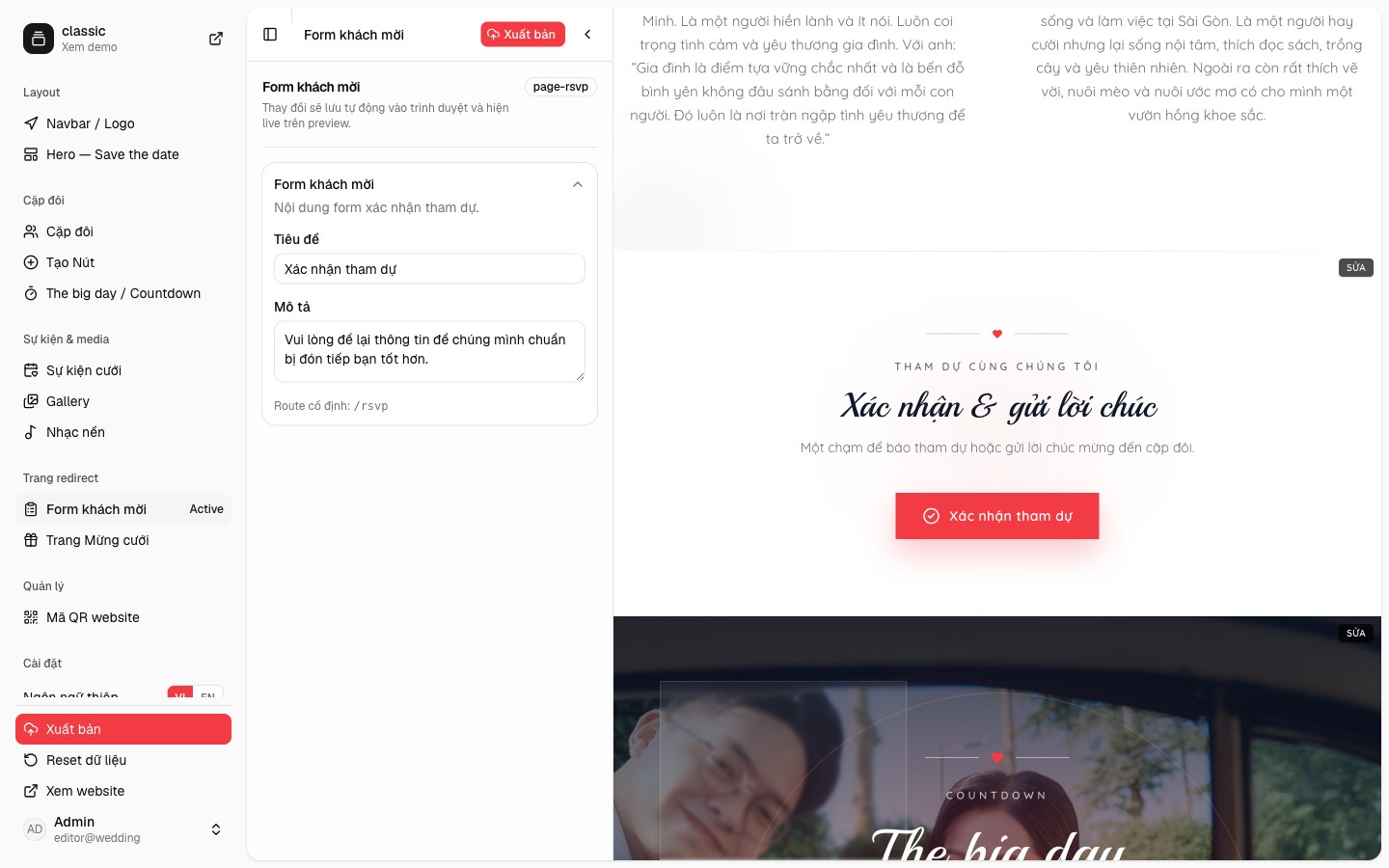
Classic places a Confirm attendance button on the invitation. Guests do not need an account. They open your link, say whether they are coming, and the reply stays on that website’s list.
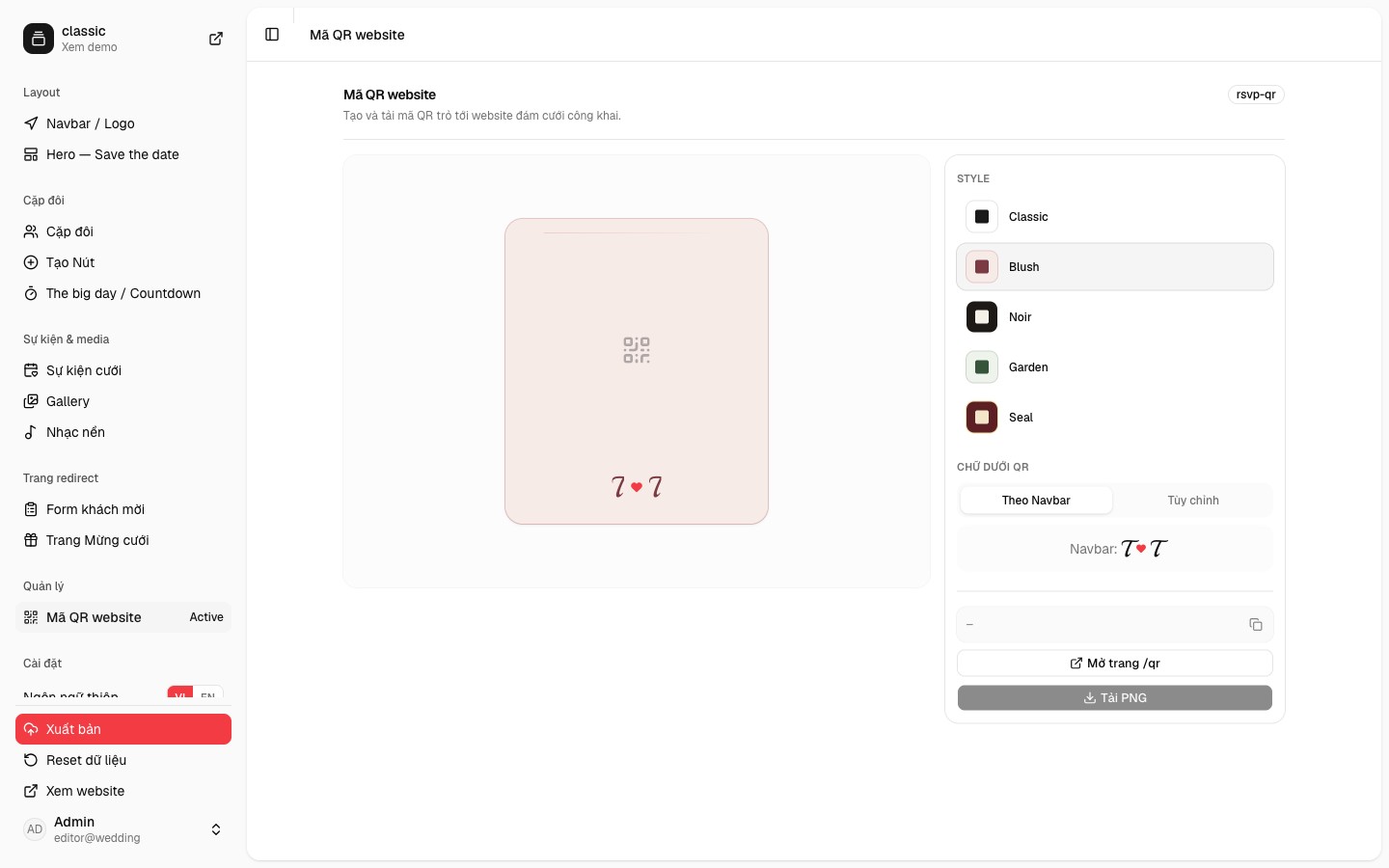
Website QR on the Classic template draws a card with the code in the center. You choose a style and the line underneath, then download a PNG for the paper invitation. Guests scan it and open the website.
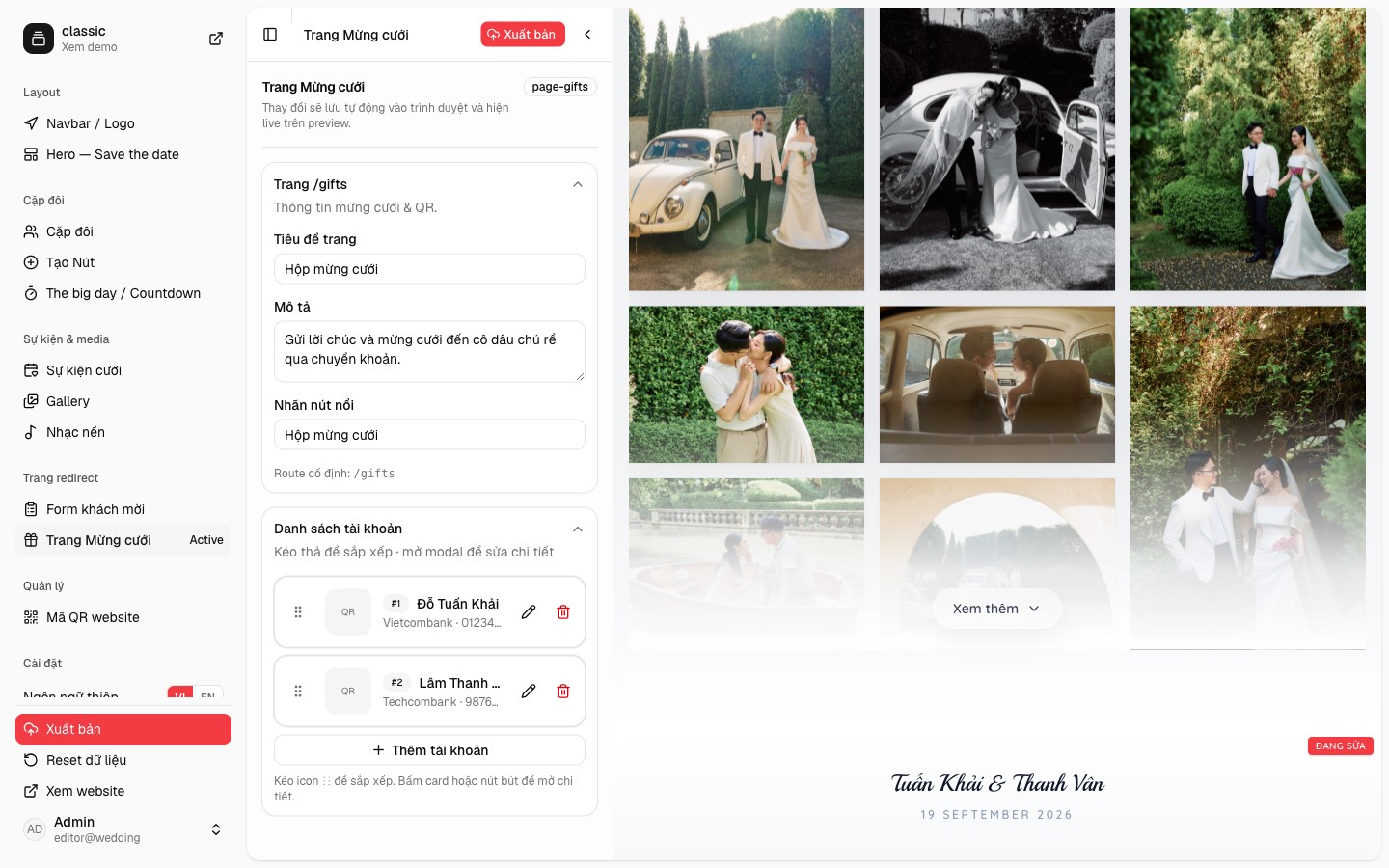
Classic has a separate gift page at the fixed route /gifts. You edit the title, the introduction, and the floating button, then add each account. Guests open it from the invitation and see the number and a QR code.
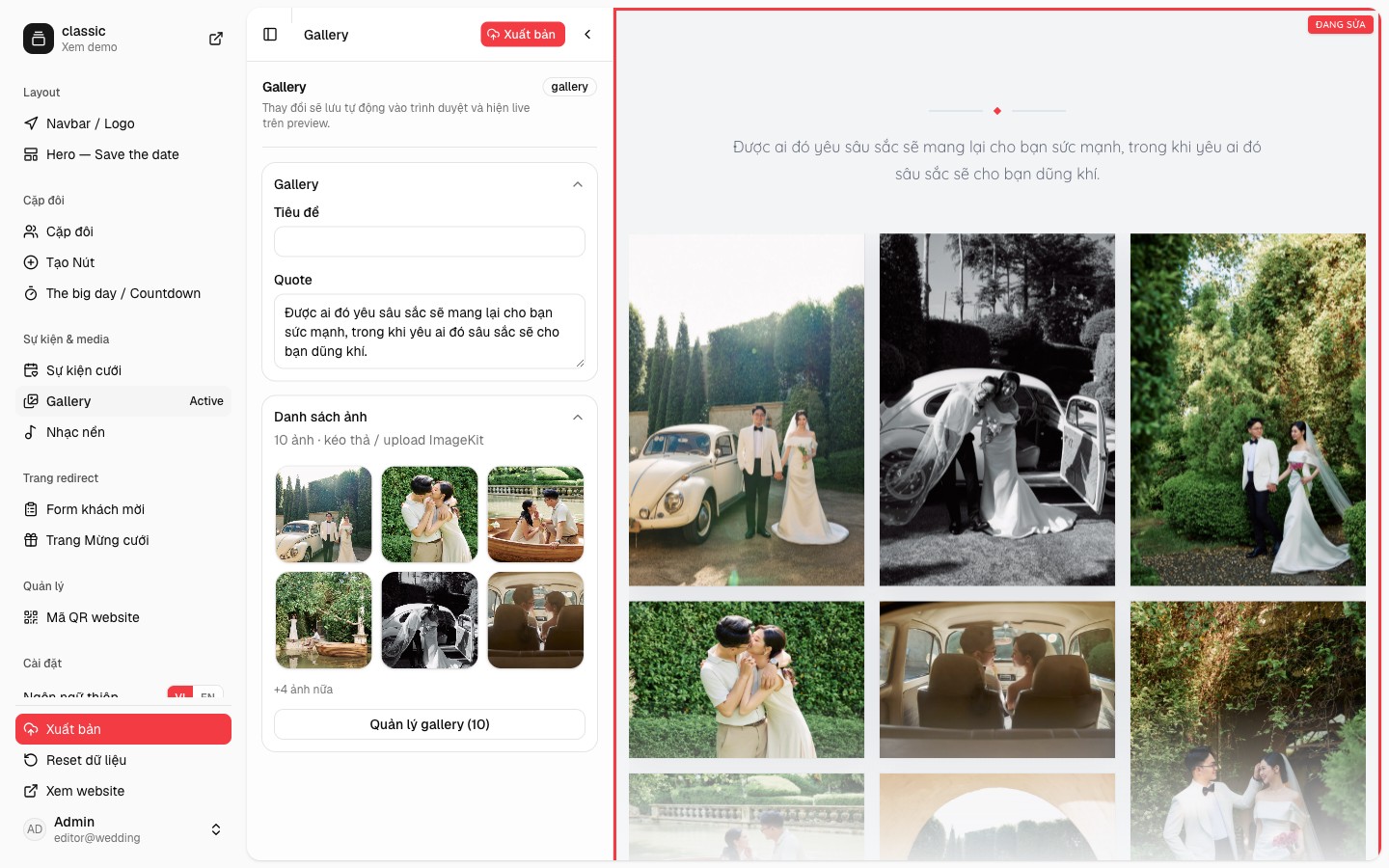
Classic’s gallery is an album on the invitation, not a separate photo site. You edit the quote, add or reorder photos, and the preview lays them out as a masonry grid.
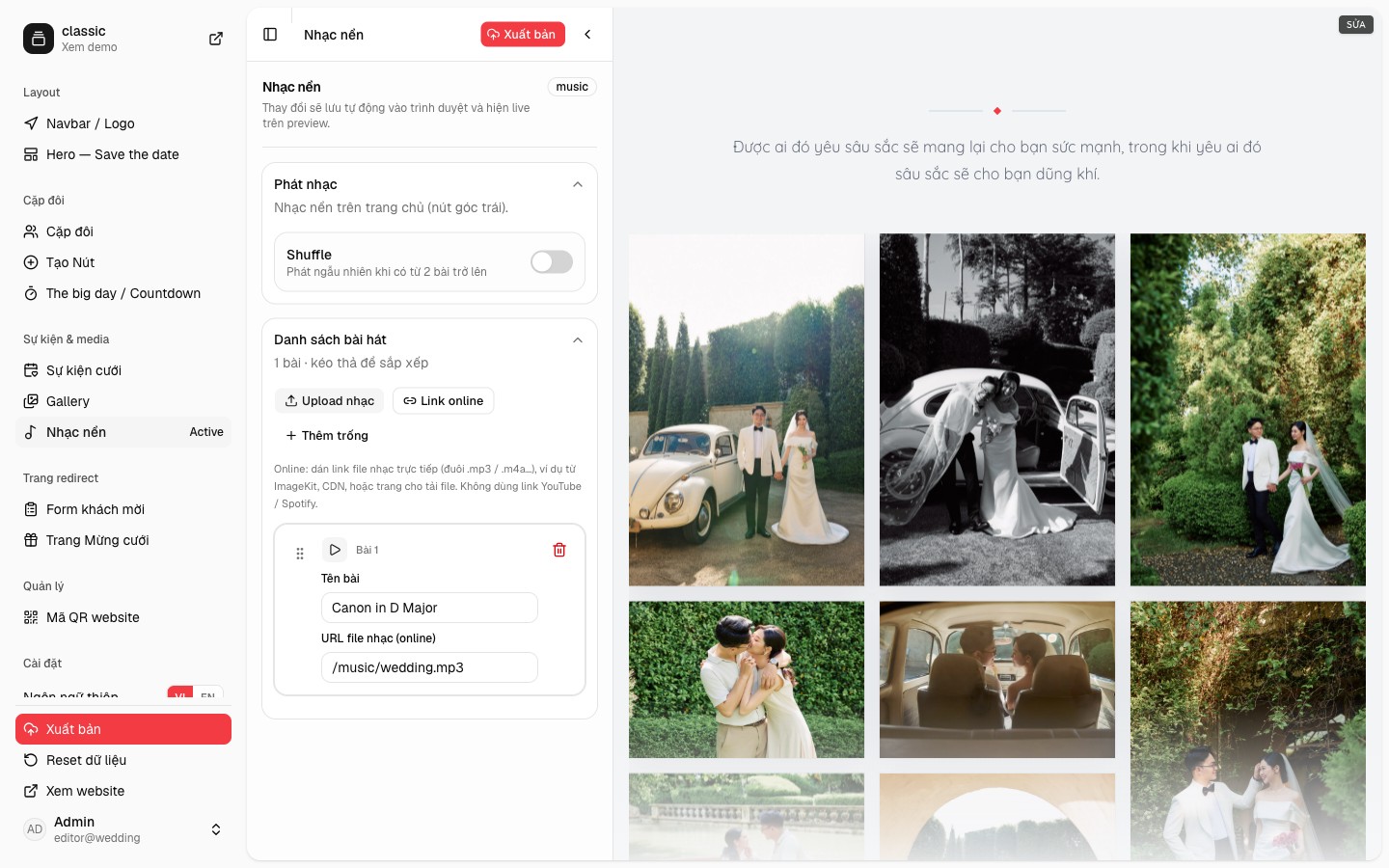
Classic’s Music section attaches songs to the invitation. The control sits at the bottom-left of the page. Guests turn it on or off. There is no separate player to open.
Yes. Each template you choose creates another website on the same account.
No. They only need the /s/your-page link to view the invitation, confirm attendance, or open the QR code.
Yes. Updates show on the same link. Guests do not need a new address.
The first invitation is US$39.99, once. The next ones are US$19.99. The pricing page lists the 3-day trial.
Sign in with Google on wedi to see the sites you created, pick a new template, and edit details. If you close One Tap, use the Sign in button in the header.