Gift accounts so guests do not have to ask
Classic has a separate gift page at the fixed route /gifts. You edit the title, the introduction, and the floating button, then add each account. Guests open it from the invitation and see the number and a QR code.
wedi
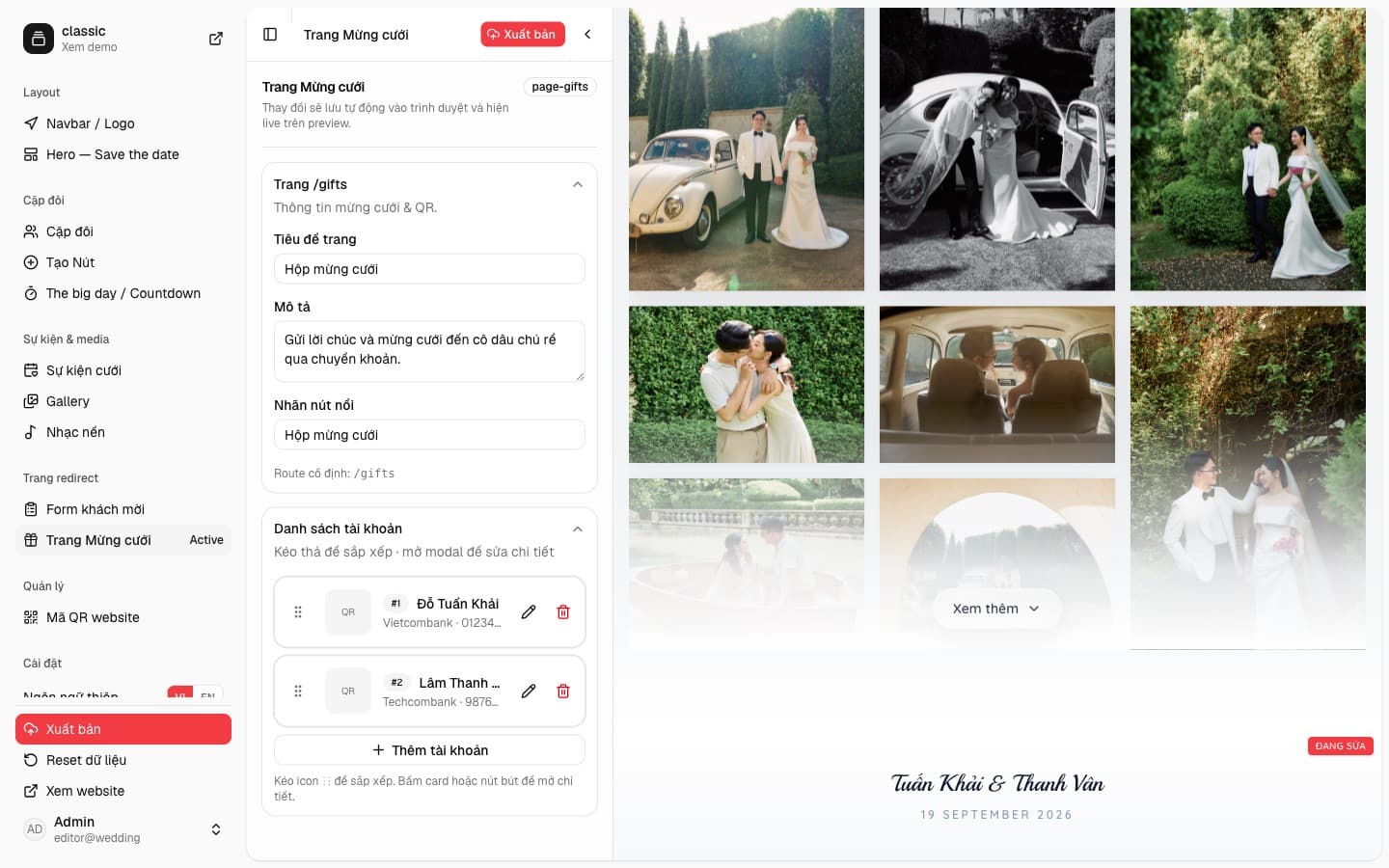
The /gifts page on Classic
Wedding gift page in the sidebar opens fields for the title, description, and floating-button label. The sample title is “Hộp mừng cưới”, the description mentions a transfer, and the button uses the same label. The /gifts route stays fixed so the link guests receive does not change.
One card per account
The account list can be dragged into order. Classic starts with two rows, one for each partner, each with a bank, an account number, and a QR image if you attach one. The pencil opens the detail window. Add an account when you need another recipient.
On the guest page, each account is a card: the holder, the bank, the number, and a large QR code to scan. They do not need to message you for the details.